
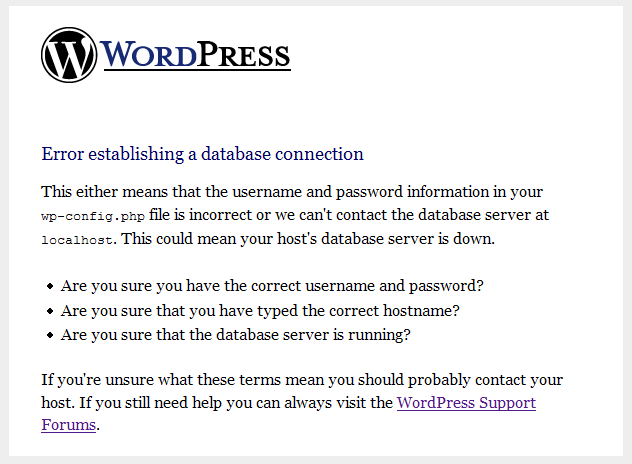
You will probably meet this problem after you changed your database username and password in mysql or PhpMyAdmin in your hosting server or uploaded your wordpress folder from your local computer to your hosting server. This problem always happened while we’re restoring wordpress data including mysql data between local and your server. To solve this problem, open the wp-config.php located in wordpress folder and check whether the database name, username, password and mysql server host are correctly or not.
Some hosting services includess wordpress installation feature which set the default database name to ‘mysql39285’ or something like this. So, check this one.
define(‘DB_NAME’, ‘wordpress’); // The name of the database
These are username and password which you used to login to your database account. You can get these information in mysql database under your hosting panel.
define(‘DB_USER’, ‘root’); // Your MySQL username
define(‘DB_PASSWORD’, ‘root’); // …and password
Mostly, hosting services set the default host to ‘localhost’. But some hosting sets to another mysql host. For example : mysqlserver.hosting.com
define(‘DB_HOST’, ‘localhost’);
If you have this problem, I hope this post will be useful for you.
Comments
2 responses to “Working with wp-config.php in WordPress”
Myo…
I came across your post while looking for a solution to my wp-config.php issue.
I recently upgraded my installation of WordPress and somehow, I’ve encountered the “error establishing database connection message.”
I’ve tried the usual approach to verifying my MySQL database username and password in the wp-config.php file, but I have no record of the correct user/pass to refer to.
However, I can get in via phpMyAdmin. Can you tell me how to either access the MySQLdatabase user/pass info in phpMyAdmin so I can manually update the wp-config.php file, or how to reset them?
Thank you in advance!
[…] Working with wp-config.php in WordPress […]