
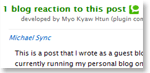
 Though I’ve seen a Kramer plugin that can add inbound links from Technorati as trackback/pingback comments, I created my own one for my blog. Reason why I created it to get incoming backlinks from other blogging system (sometimes you’ll probably lose trackback even in same wordpress system, as screenshot said.) and to practice XML especially dealing with web APIs.
First I created this program with only Javascript using DOM and XMLHttpRequest. But one thing I forgot is that the browser especially Firefox blocks Javascript when it connects the data between one domain and another (cross-domain).

uncaught exception: Permission denied to call method XMLHttpRequest.open
So I decided to use Php to get XML data from Technorati. I did it successfully without having problems in my local machine. But I found a problem after I uploaded this to server. The problem is that my hosting which is Godaddy is still using PHP4 that doesn’t have DOMDocument library implemented in PHP5. So I have used domxml implemented in PHP4 and modified some codes (as my experience, functions used in Domxml library in PHP4 and DOMDocument in PHP5 are different). Finally, I did it successfully.
But here, I’m using both Javascript and PHP because I’m still learning how to create WordPress plugin. And also don’t want to effect WordPress.
To get inbound link (known as cosmos), you need to have your own API key which is provided by Technorati. First, register in Technorati if you’re not memeber yet. And get API key here. Basically, sent the http request (GET or POST method) to
http://api.technorati.com/cosmos
providing with your post url and your API.
For example:
http://api.technorati.com/cosmos?key=YOUR_API&url=YOUR_POST_URl
then you’ll get XML data from Technorati and all you need to do is to manipulate those data. For more option about cosmos, read the manual.
Have fun and enjoy!
Comments
4 responses to “Technorati Inbound Links plugin”
[…] Link to Article firefox Technorati Inbound Links plugin » Posted at Myo Kyaw Htun . com on […]
it’s interesting.. good job. man..
Thanks also for stopping by.. I hope you had a pleasant stay.. :)
Happy blogging! Much success!
iam testing this plugin , let me know the result