

doPDF is a free pdf converter program that makes us easier to print as a PDF file. You just have to select print menu from your NotePad or Microsoft Words or any other softwares and select doPDF as printer. doPDF will ask you the location where you want to save your document as PDF file. It will convert your document as a PDF file and will open with default PDF reader.
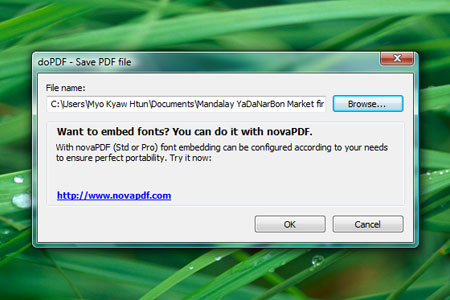
Please, check out the video tutorial using doPDF from YouTube and screenshots from doPDF web site.
via: download.com
Comments
3 responses to “doPDF – a free PDF converter”
Good info, Bro. Previously I used PDF Creator for making PDF in WinsXP. But it does not support Windows Vista until now, and so I have to use Acrobat Pro for creating PDF. This DoPDF is great as it supports most of MS Windows Systems including Vista 32n64. I have just visited its home page according to your info. Thx…Keep it up,bro.
Actually I ‘m using ABBYY PDF converter 2.0 . Do I need to change this? Cheers !
Ko Soe Htet
You can try as alternative. ;) Just install and select when you save as PDF :)