
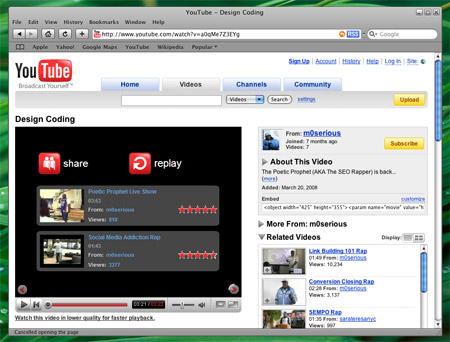
Safari browser has powerful tool called Activity that tracks all the activities running behind the page. That makes you easier to download media files from the page you’re visiting.
First, open Safarai browser and browse the address you like to download media file (mp3 or flv). For example : YouTube.
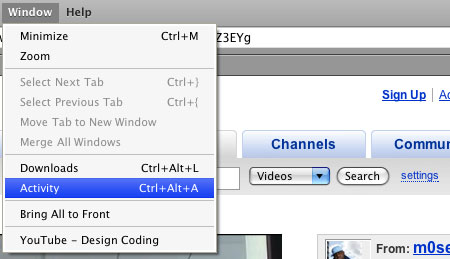
Click Activity menu under Windows in Safari browser. Or press Ctrl+Alt+L.
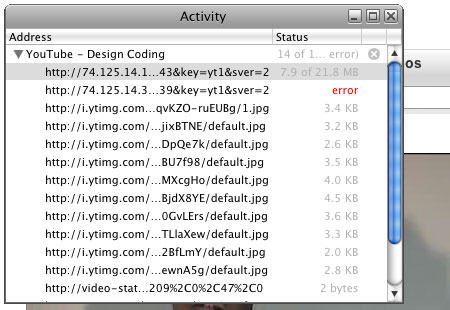
Select the url or media file that more than MB. And double click on it. Safari will launch new browser window and start downloading that file.
For those who want to convert FLV to Audio and Video files you can try FLV Extract program from Moitah.net
via: mm.it.lad (in Burmese language)
Comments
9 responses to “Download media files with Safari Browser”
Would this work in Myanmar? As you know, youtube is banned.
Mady
Since YouTube is banned in our lovely place, there will no activity in safari. So you can’t download.
But if you can access YouTube using proxy, you can use this trick. ;)
if you take a closer look at the screenshot, the FLV’s location is not on youtube.com. So… :D
Im pretty sure that the new versions of safari don’t do this; i could download things in safari using this trick, but when i updated it, it didn’t download these file anymore. Instead it played it using the Safari-QuickTime plugin. It still will download files that QuickTime can’t play though.
This doesn’t work in Safari 5
it was really useful
thanks
In the activity monitor, press and hold the option key while you double click on the file you want to download.
Thanks guys it works great!
My question is, what on earth is the easiest way to access that file which has already been cached locally on the disk, WITHOUT RE-DOWNLOADING. For example: What if the video was a live stream broadcast, and the only way to access it is to copy the cached file that’s already on your disk, being that there’s no URL to access as it’s only a live stream not like a YouTube video. Now that, I want to figure out…
Yeah, on a Mac no less…