
 Miro can automatically download the videos from the channel/rss or BitTorrent and can play any video formats. You can also download the videos from video sharing sites like YouTube, Google Video, Dailymotion, Blip.tv, etc.
In short, Miro is a video “podcatcher”—software that uses video feeds to automatically download new episodes for you and keep track of what you’ve watched and not watched. Kind of like an inbox for your video subscriptions, here’s what Miro looks like with a few subscriptions set up.
– Life Hacker
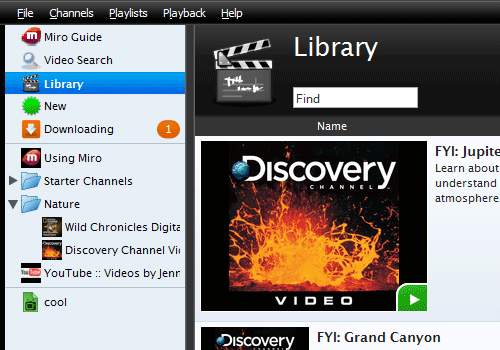
via: LifeHacker