

Windows Live FolderShare beta is a free service that you can use to share files between your own computers and with other people. You can also remotely access your computer and all of the files on your computer from any computer connected to the Internet.
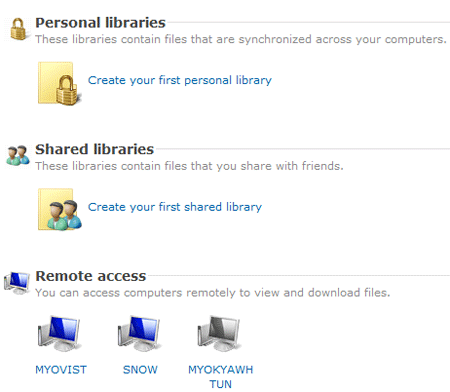
With FolderShare, you can:
- Use FolderShare to create a mirrored image of your most important folders - like your Favorites, Pictures, and Documents - so they’re the same on all your computers.
- Sharing with friends, co-workers, and family is easy when you add and update files in a shared library. Large files? Not a problem - FolderShare can sync files up to 2 GBs in size. And it works on both Mac and PC.
- Install FolderShare on all your computers, and you can access all your files from any computer on the Internet.
You need to download and install Foldershare to create an account to use Windows Live Foldershare beta.


Digg
del.icio.us
Stumbleupon
Design Float

LinkedIn
Facebook
Hi5
Friendster
Orkut
MySpace
MyBlogLog
Flickr
Picasa
YouTube
Last.fm
imeem
mail me
Twitter
Pownce
Plurk
Kwippy
Digg
Stumbleupon
FriendFeed
Shared Items
Shared Stuff
Blogger
Wordpress
Technorati


No Comments (including trackbacks)
Leave a Reply
I always welcome your valuable comments, positive or negative, and suggestions. Because I believe that comments are energy that keep me up my blogging. If you comment for the first time in my blog, your comment will be in moderated for approval. You can keep post your comment without moderation once your comment has been approved. If your comment contains more than two hyperlinks, it will be held in the moderation queue. Your name and home url will be displayed in your comment and your IP and your email will be keep secret and will not be sold or share to anyone, I promise.