
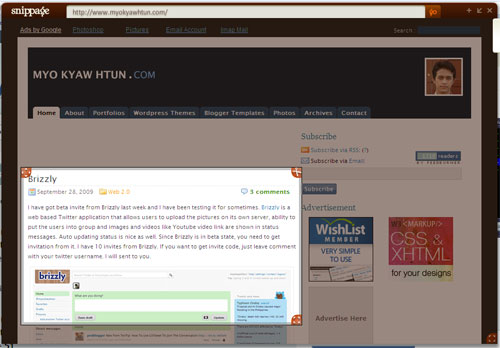
Snippage an adobe AIR application turns any parts of the web pages into widget with its simple crop tool. So that you can put and move around them on your desktop like the way you’re doing with Windows Sidebar widget or Google Desktop. It is pretty simple, just download Snippage AIR from Snippage and install it (your system must have Adobe AIR run time installed, if you don’t have you can grab from Adobe for FREE). After you installed Snippage, open it and type the web address on browser, drag and size the snipmarks where you can to capture and click scissor button. That’s!


Digg
del.icio.us
Stumbleupon
Design Float


LinkedIn
Facebook
Hi5
Friendster
Orkut
MySpace
MyBlogLog
Flickr
Picasa
YouTube
Last.fm
imeem
mail me
Twitter
Pownce
Plurk
Kwippy
Digg
Stumbleupon
FriendFeed
Shared Items
Shared Stuff
Blogger
Wordpress
Technorati


No Comments (including trackbacks)
Leave a Reply
I always welcome your valuable comments, positive or negative, and suggestions. Because I believe that comments are energy that keep me up my blogging. If you comment for the first time in my blog, your comment will be in moderated for approval. You can keep post your comment without moderation once your comment has been approved. If your comment contains more than two hyperlinks, it will be held in the moderation queue. Your name and home url will be displayed in your comment and your IP and your email will be keep secret and will not be sold or share to anyone, I promise.