
 If you want to add watermark to your photos when you’re blogging from internet cafe or the machine that doesn’t have Photoshop or photo software, Picmarkr is best choice for you. Picmarkr is an online tool allow you to add watermark text and image with just few clicks. You can choose photos from your computer as well as your Flickr, Facebook and Picasa account.
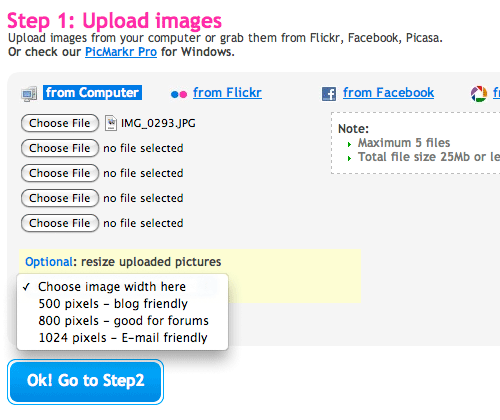
After your photos uploaded, you can insert your custom watermark text or image and choose the position and text style that you want to display.
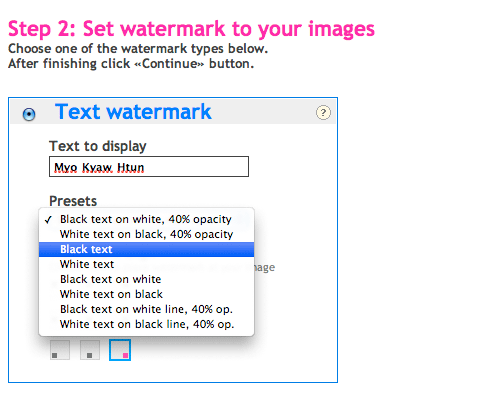
Finally, it will give you download images links that have watermark which you set in Picmarkr.
Comments
5 responses to “Add Watermark to your photos and images with Picmarkr”
I found a free online image watermark tool called Batch Watermarker that can automate the whole process of image watermarking. If you are away from your PC and don’t want to download any software, you can just use this online version of watermarking tool for free. It’s quick and it’s easy to use.
You can also download their full version of Batch Watermark software program if you want to watermark multiple image files in a folder with just a click of the mouse.
လာဖတ္တတ္ပါတယ္။ ကုိယ္နားမလည္တဲ႕ဘာသာ မို႕လို႕ရယ္။ နာမည္ၿကီးဘေလာ႕ၿဖစ္ရဲ႕နဲ႕ဘယ္သူက မွ ကြန္မက္ သိတ္မေရးဘဲနဲ႕ကုိယ္က နားမလည္ဘဲနဲ႕ လာလာေရးေနရင္ အၿမင္ကပ္စရာေတြၿဖစ္မွာ စုိးလုိ႕ ဘာမွ မေၿပာဘဲၿပန္သြားေလ႕ရွိပါတယ။္ ေက်းဇဴးပါ။
အဲဒိလိုလဲ မဟုတ္ပါဘူး အစ္မေရ … နာမည္လဲမႀကီးပါဘူး။ လာဖတ္တာကိုပဲ ကၽြန္ေတာ္က ျပန္ေက်းဇူးတင္ရမွာပါ။ အခု comment အတြက္လဲ ေက်းဇူးပါ။
Ko Myo Kyaw Htun, thank you for this information. It’d be very useful. :) Hey, John .. I thank you for your link also. Take care.
YES