
If you want to login as administrator account in Windows Vista, you can use the following steps.
1. Run the command prompt as an administrator.
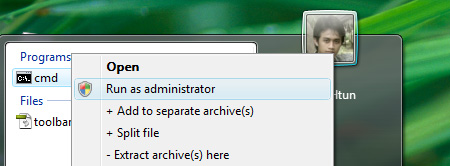
2. Type the following command in command prompt.
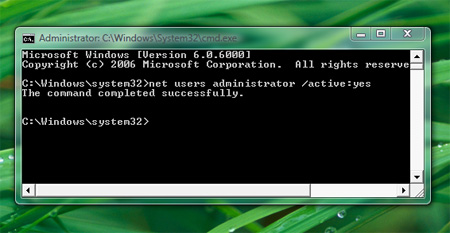
net users administrator /active:yes
3. Then log off or switch user and you’ll see the administrator account in Vista Login.
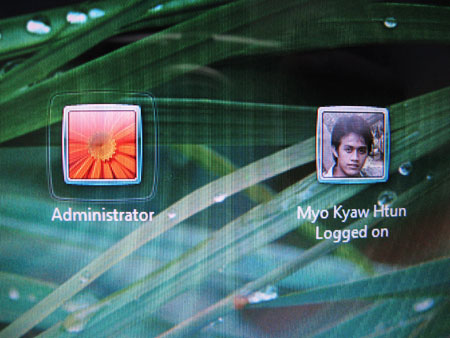
If you want to hide the administrator account back, just type following command
net users administrator /active:no
Note : You can also use the same technique for other account name too. Use ” ” for the name contains white spaces.
Comments
5 responses to “Hidden administrator account in Vista”
ေဟ့ နာ ေနာင္းေကတယ္ ျပီးေတာ့ ေစာင္းကား ေသာင္းေကာက္ နဲ႔
နင့္ဆီ လြားတာတယ္ ဒဲပါ
s_potato
Glad to hear that.
Bro…you can do it at Computer Management too (Run > compmgmt.msc) and Local Users and Groups.
My very first comment in myokyawhtun.com.
This is quite useful for those who wish configure something which cannot be done using public accounts. So, nice info dude!
@Justin
Thank you, I’ll try that one too.
@Alvin Nyau
Thank for your visit. :) I hope you’ll visit my site again.