
Microsoft released Windows Vista Service Pack 1 in these days, probably in March 18th, 2008. You can update Windows Vista from Windows Updates program.
First click View available updates.
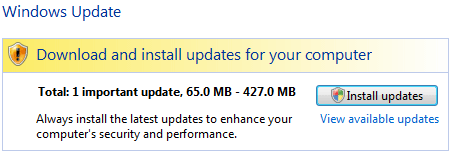
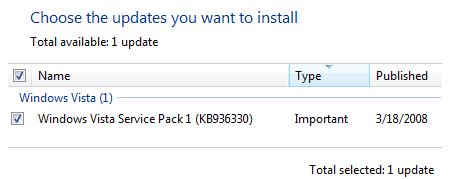
And checked Windows Service Pack 1. And click install.
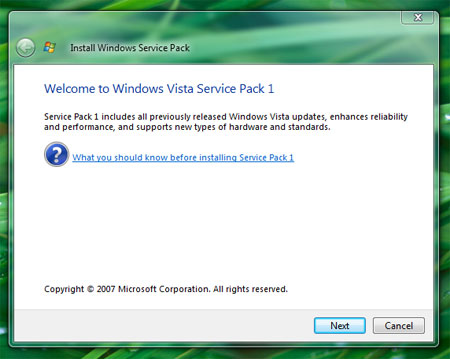
You’ll be prompted to start Windows Vista Service Pack 1 installation. Click Next.
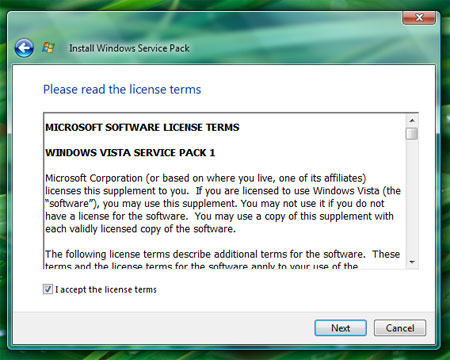
Check I accept the license terms on. And click ‘Next’.
Click Install to start Installation.
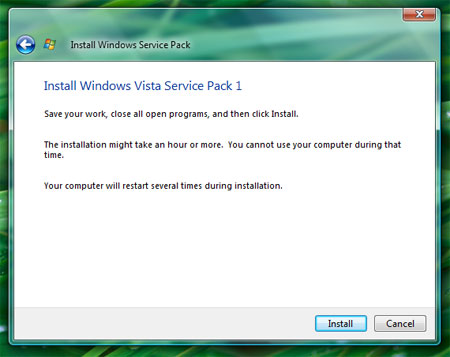
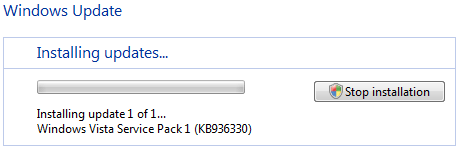
Installation might take sometime depending on your connection. After successful installation, you need to restart your machine.
Comments
3 responses to “Updating Windows Vista Service Pack 1”
I am still seeing the following message even after I have checked updates manually.
ThanZin
Check the following:
If you want to know more about please read this post from How to Geek
Not a big fan of SP1 at this point or of updating in general really but I upgraded to a Quad Core the other day so decided on the format I’d install SP1.
Had the chip running on Vista without SP installed and it was moving. Formatted the hard drive, installed SP and boom…IE & FF was loading/hanging to some extent and there was a drop in overall performance.
Ended up reformatting again and running Vista without SP. Runs like a dream now.